Personal kanban: what it is and how to build your own task board
Kanban is a way to make work visible: tasks are cards on a board that move through columns, most often To do → In progress → Done. Personal kanban applies the same idea to your own tasks. It has two rules: you can see everything you have on the go, and you limit how many things can be in progress at once. As a result you switch less, things get finished and you see at a glance where work is stuck. Below: where kanban comes from, how to set one up and when it beats a plain to-do list.
- Kanban (roughly “visual card” in Japanese) began in Toyota’s factories as a system that paces work to real capacity.
- Personal kanban rests on two rules: make work visible on a board and limit how much is in progress at once (a WIP limit).
- Less work in progress means shorter waits for things to get done – a consequence of Little’s law from queueing theory (Little, 1961).
- Switching between tasks leaves “attention residue” that hurts performance on the next task (Leroy, 2009); a WIP limit reduces switching.
- There are no direct experiments on personal kanban; its logic rests on research on attention switching and on team experience.
Kanban: what it is
Kanban is a method of managing work with a board divided into columns. Each task is a card. A card starts on the left and moves right as the work progresses. The simplest board has three columns:
| To do | In progress | Done |
|---|---|---|
| Write the proposal | Prepare the presentation | Book the car service |
| Call the insurance company | Choose a gift for Mum | Pay the rent |
| Clear out the garage | Send the invoice |
The method was born in Toyota’s production system as a way to make only as much as the next step can actually handle. David Anderson brought it into offices and software teams, and Jim Benson and Tonianne DeMaria Barry described the personal version in their book Personal Kanban (2011).
The two rules of personal kanban
1. Make your work visible
Everything you have in progress or on your list is on the board. Not in your head, not in five apps. The overview alone is a relief: E. J. Masicampo and Roy Baumeister (2011) showed that once an unfinished task has a concrete plan, it stops intruding on your thoughts.
2. Limit work in progress
The In progress column has a limit – for personal use, usually 2 or 3 cards. You start something new only when you finish one. This is called a WIP limit (work in progress).
Why does it work? Sophie Leroy (2009) showed that when you switch from an unfinished task to another one, part of your attention stays with the first and performance on the new task drops. This is called attention residue (more in the multitasking myth). And queueing theory gives us Little’s law: at the same pace of work, the more things you have in progress, the longer each one waits to be finished (Little, 1961).
How to set up a personal kanban
- Choose a place. Paper and sticky notes, a magnetic whiteboard or an app with a board.
- Make three columns. To do, In progress, Done. Add more only when you really need them (for example “Waiting on someone”).
- Write everything out. One task per card, starting with a verb: “Call”, “Write”, “Order”.
- Set a limit. No more than three cards in In progress.
- Each day, pick what to move. In the morning, look at the board and choose what goes into In progress – only if there is room.
- Tidy up once a week. Archive what’s done, rethink old cards and split big ones into smaller ones (how to break down a big task).
Kanban or a to-do list?
| Situation | List | Kanban |
|---|---|---|
| Small one-off tasks | Enough | Overkill |
| A multi-step project (website, move, wedding) | You lose track of status | You see what’s stuck immediately |
| Lots of things on the go | Nothing slows you down | The limit makes you finish |
| Work waiting on others | Gets lost | A “Waiting” column keeps it in view |
| Sharing with family or a team | Messy | Everyone sees the same thing |
Kanban doesn’t decide when you do what. For that, combine it with a day plan or time blocking. Choosing what matters is easier with the Eisenhower Matrix.
Common mistakes
- No limit. Twelve cards in In progress and nothing moves.
- Giant cards. “Thesis” gets stuck in a column for months. A card should be finishable in a day or two.
- Too many columns. Eight columns are hard to maintain. Start with three.
- A board without review. The To do column grows to hundreds of cards. Prune it weekly.
For the bigger picture of organising your time, see how to manage your time.
Try it now in CORTEX
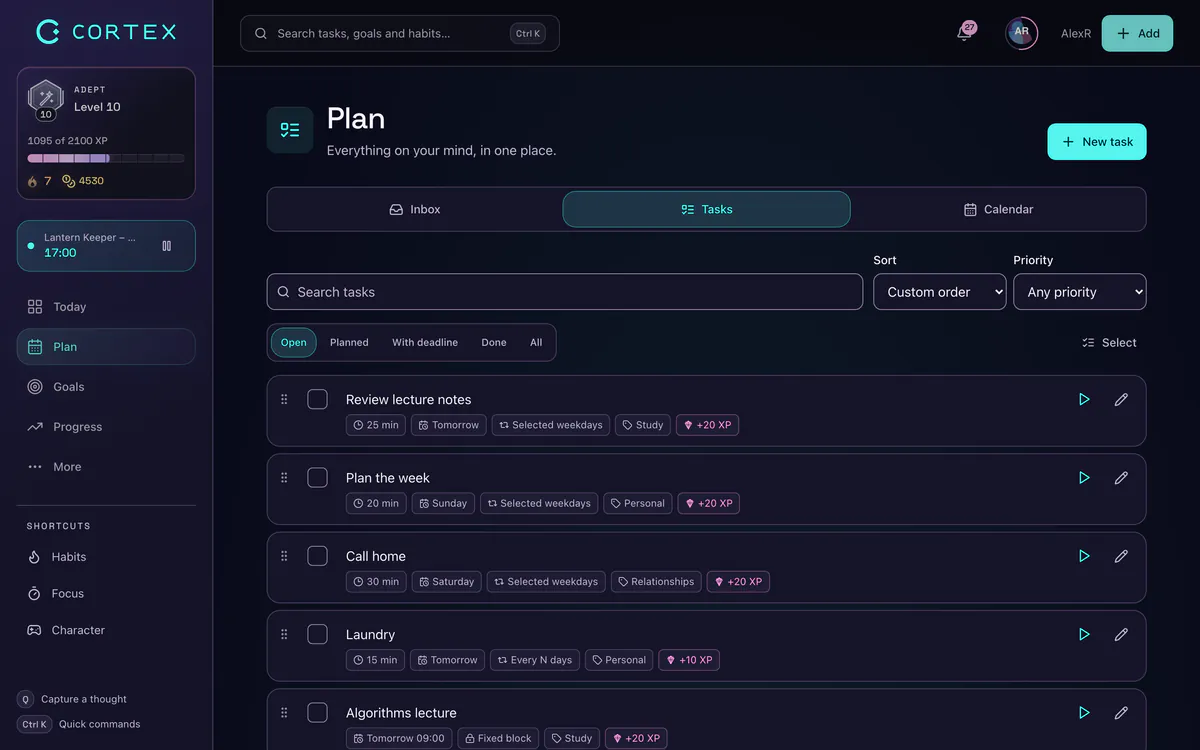
In CORTEX (free for everyone) create a “New project” in Plan and switch the view to Board. Columns can follow status (To do, In progress, Done) or your project’s own sections; move a card by dragging it or with “Move to a column”. The board shows the number of open tasks in each column – keeping to your limit is up to you. You can share a project with others and see its progress. Ready-made steps for a move come with the “Moving house without chaos” template (More → Templates); if you have an account, open it.
Frequently asked questions
What is kanban?
Kanban is a method of managing work with a board of columns such as To do, In progress and Done. Tasks are cards that move from left to right. The key is limiting how much work is in progress at once. The method began in Toyota’s production system.
What is personal kanban?
Personal kanban is kanban for your own tasks. It rests on two rules: all your work is visible on one board, and you limit the number of things in progress, usually to two or three. It is most useful for projects with several steps.
What does a WIP limit mean?
A WIP (work in progress) limit is the maximum number of tasks allowed in the In progress column at once. When it is full, you finish something before starting anything new. It reduces switching and speeds up finishing.
What is the difference between kanban and scrum?
Scrum works in fixed time periods (sprints) with roles and planning meetings. Kanban is continuous: work flows across the board without sprints and is governed by the WIP limit. For personal use, kanban is simpler.
Do I need an app for personal kanban?
No. Paper and sticky notes are enough. An app helps if you want your board with you, want to share it with others or link tasks to a day plan and deadlines.
Sources and further reading
- Little, J. D. C. (1961): A proof for the queuing formula: L = λW – Operations Research
- Leroy, S. (2009): Why is it so hard to do my work? The challenge of attention residue when switching between work tasks – Organizational Behavior and Human Decision Processes
- Masicampo, E. J. & Baumeister, R. F. (2011): Consider it done! Plan making can eliminate the cognitive effects of unfulfilled goals – Journal of Personality and Social Psychology
- Benson, J. & DeMaria Barry, T. (2011): Personal Kanban: Mapping Work, Navigating Life – Modus Cooperandi Press (book)
Level up your life
CORTEX is free for everyone. Tasks, a one-click day plan, time tracking, habits and rewards in one system – on desktop and mobile.
CREATE A FREE ACCOUNT