Task batching: group similar work and stop switching
Task batching means doing similar small tasks together in one block – all your email, calls or payments in a row – instead of handling them as they trickle in all day. It saves time and mental energy, because every switch between different tasks has a cost. Below: what the research says, which tasks belong in batches, and how to schedule them.
- Batching = similar tasks in one block (email, calls, admin) instead of scattering them through the day.
- Switching between tasks has a measurable cost that doesn't disappear even with preparation (Monsell, 2003) and grows with task complexity (Rubinstein, Meyer & Evans, 2001).
- Leaving unfinished work leaves "attention residue" that hurts performance on the next task (Leroy, 2009).
- People who checked email only three times a day for a week reported lower daily stress (Kushlev & Dunn, 2015).
- A good batch: one type of task, 30–60 minutes, at a fixed time outside your best hours.
What task batching is and why it works
Every task needs a different mental setup: different rules, tools and context. When you jump from a half-finished analysis to email and back, your brain has to reconfigure each time. Psychologists call this the switch cost.
- Monsell (2003) sums up research showing that switching tasks slows responses and raises error rates – and that part of the cost remains even when you can prepare for the switch.
- Rubinstein, Meyer and Evans (2001) found that the time lost to switching grows with the complexity of the tasks.
- Leroy (2009) described "attention residue": when you leave unfinished work, part of your attention stays with it and you perform worse on the next task.
Batching doesn't remove that cost, but you pay it once per batch rather than after every small thing. For why the brain switches and where popular "minutes lost" numbers come from, see how to focus.
Which tasks to batch
| Task type | Example batch | When |
|---|---|---|
| Email and messages | Go through the inbox, answer what you can, capture the rest | 2–3 times a day, e.g. 11:00 and 16:00 |
| Calls | All calls back to back | One block after lunch |
| Admin | Invoices, payments, orders, timesheets | Once a week, e.g. Friday |
| Errands | Post office, groceries, bank | One trip, one route |
| Content | Write three posts in one sitting | Once a week |
| Small fixes | Five small website tweaks | One block instead of five interruptions |
What doesn't belong in a batch is deep work – writing, analysis, programming. It needs its own longer block; see deep work.
Email three times a day: what an experiment found
Kushlev and Dunn (2015) asked participants to check email only three times a day and turn notifications off for one week; in the other week they could check as often as they liked. In the limited week they reported lower daily stress. It doesn't prove that three checks are ideal for everyone, but it is a good starting point for your own experiment.
How to schedule your batches
- List one day's small tasks. Everything that interrupted you or that you did "in between".
- Group them by type – messages, calls, admin, errands.
- Give each group a time outside your best hours, which belong to your main task – see how to plan your day.
- Between batches, only capture. If something takes under two minutes and it is already in front of you, do it – the two-minute rule belongs in a batch, not in deep work.
- Adjust after a week. Do you need a third email block? Is weekly admin enough?
Example: a batched day
| Time | Block |
|---|---|
| 8:30–11:00 | Deep work (no email, no notifications) |
| 11:00–11:30 | Batch: email and messages |
| 11:30–12:30 | Meeting |
| 13:30–14:00 | Batch: calls |
| 14:00–15:30 | Second work block |
| 15:30–16:00 | Batch: email, messages, small fixes |
| Friday 14:00–15:00 | Weekly batch: invoices, payments, timesheet |
Batching for students, parents and office workers
- Students: messages and social media in a batch after every second study block; school admin (applications, emails to teachers) once a week. For the study plan itself, see how to gamify studying.
- Parents of young children: deep work often only fits into short windows (nap time, daycare). Batch the small stuff into moments when focus isn't possible anyway – waiting, at the playground, in the evening.
- Open-plan offices: agree on "quiet hours" with no meetings or messages; collect colleagues' questions into one window after lunch.
- Freelancers: invoicing, timesheets and payments once a week, client calls in two fixed windows – see the freelance work schedule.
The principle is the same everywhere: protect longer blocks for work that needs focus, and collect small tasks into places where they cost you nothing extra.
Common mistakes
- Batches that are too big. Three hours of email drains you as much as switching. Keep batches to 30–60 minutes.
- Mixing types in one batch. "Admin, and I'll write that article too" is no longer a batch.
- Batching in your best hours. Email at 9 a.m. eats the energy you have for the main task.
- Notifications on. A batch doesn't work if every message pulls you out. Turn them off between batches.
Task batching in CORTEX
- Recurring tasks as batches: "Email and messages 11:00 *daily ~30m" or "Invoices and payments fri 14:00 *weekly ~1h" in one line of quick capture.
- Calendar blocks: see your batches in the weekly grid and drag them when needed.
- Plan My Day fits the rest of your tasks around batches and meetings.
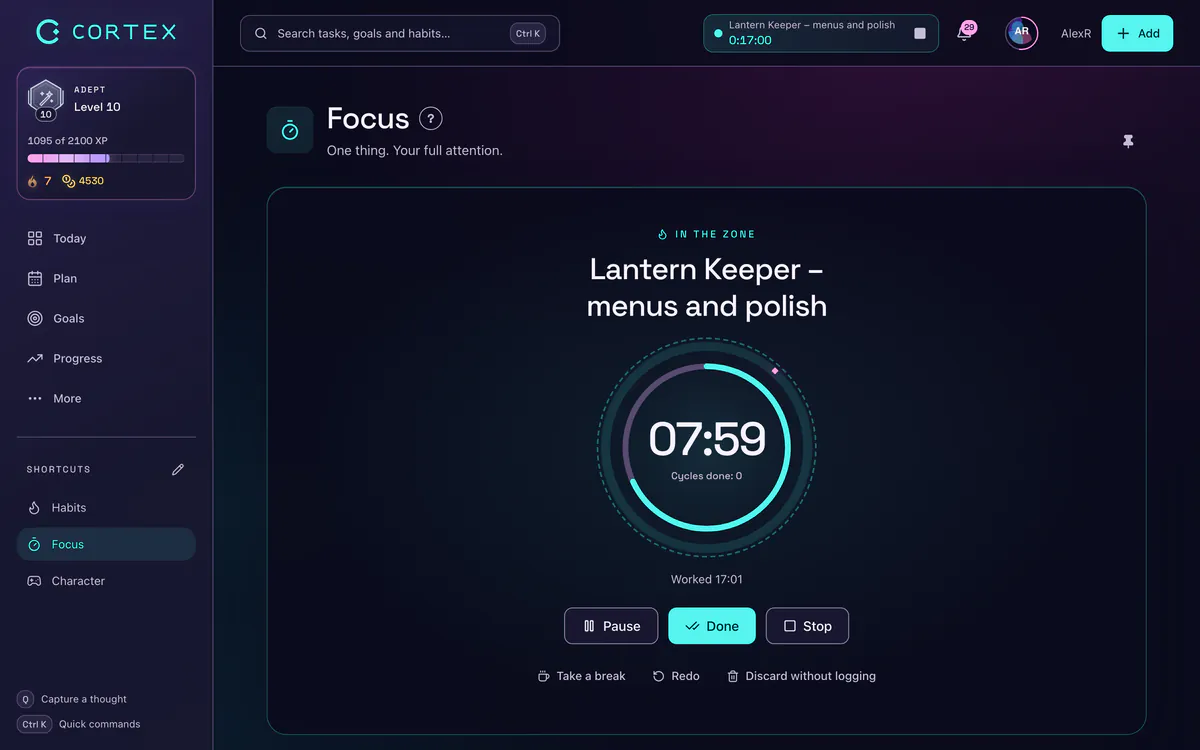
- Focus and time: run the timer on a batch and the reports show how much time admin really takes – see the time tracking app.
Frequently asked questions
What is task batching?
Task batching is grouping similar small tasks into one block – all email or all calls in a row – instead of handling them as they arrive throughout the day. It reduces how often you switch between different kinds of work.
Why does switching between tasks slow you down?
Each task needs a different setup of attention and rules. Research shows a measurable switch cost in time and errors that grows with task complexity, plus attention residue after interrupted work.
How often should I check email?
In Kushlev and Dunn's 2015 experiment, people who checked email only three times a day reported lower stress. Two or three batches a day is a good start; adjust to your work.
Does batching work for every task?
No. It is for small, repetitive tasks. Deep work such as writing or analysis needs its own longer, uninterrupted block.
How long should a batch be?
Usually 30 to 60 minutes with one type of task. Longer batches are tiring; mixed batches lose the point.
Sources and further reading
- Monsell (2003): Task switching, Trends in Cognitive Sciences
- Rubinstein, Meyer & Evans (2001): Executive control of cognitive processes in task switching, Journal of Experimental Psychology: Human Perception and Performance
- Leroy (2009): Why is it so hard to do my work? The challenge of attention residue when switching between work tasks, Organizational Behavior and Human Decision Processes
- Kushlev & Dunn (2015): Checking email less frequently reduces stress, Computers in Human Behavior
Level up your life
CORTEX is free for everyone. Tasks, a one-click day plan, time tracking, habits and rewards in one system – on desktop and mobile.
CREATE A FREE ACCOUNT