Non-billable time: how much you have, how to measure it and what to do about it
Non-billable time is everything you do for your business that you can’t bill a client for: email, proposals, admin, bookkeeping, marketing, learning and travel. For freelancers it often takes a big share of the week – and if your rate doesn’t account for it, you earn less per hour than you think. Estimates from memory tend to be too optimistic. It’s more reliable to track all your working time for two weeks, split it into billable and other, and use the result to work out your real, effective hourly rate.
- Non-billable time = work for your business that nobody pays for directly: email, proposals, admin, marketing, learning.
- People consistently underestimate how long their own work takes (Buehler et al., 1994) – so track it, don’t guess.
- Effective rate = income ÷ all working hours, not just the billed ones.
- Monitoring and recording progress in itself makes change more likely (Harkin et al., 2016).
- The steps: track for two weeks, split into categories, work out the share, adjust your rate or cut unnecessary work.
What non-billable time is
Billable time is project work you charge a client for – by the hour or as part of a fixed price. Non-billable time is everything else you have to do to keep the business running:
- Communication: emails, messages and calls that don’t belong to any project.
- Sales: proposals, calls with prospects, your portfolio.
- Admin: invoicing, receipts, banking, contracts.
- Marketing: website, social media, newsletter.
- Development: courses, learning new tools.
- Overheads: travel, fixing equipment, tidying folders.
None of this is “wasted” time. It only becomes a problem when you don’t account for it.
Why it matters: your effective hourly rate
Picture a designer charging €50 an hour. In a month she bills 100 hours, so €5,000. But she also works 50 hours she bills to nobody – proposals, email, invoicing, updating her portfolio. Her effective rate is €5,000 ÷ 150 hours, about €33 an hour. A third less than she thinks.
If you can’t see that gap, it’s easy to set a rate that doesn’t cover costs, time off and months without projects. The hourly rate calculator helps you work out a minimum rate, but it needs one number most people don’t know: how many hours a week you actually bill.
How to measure non-billable time in two weeks
- Track everything, not just projects. For two ordinary weeks, start a timer for email, proposals and admin too. Don’t estimate afterwards – Roger Buehler and colleagues (1994) showed that we consistently underestimate how long our own work takes.
- Set up a few categories. Five are enough: communication, sales, admin, marketing, development. More categories just make tracking harder.
- Add it up at the end of each week. How many hours were billable and how many were other? What share was billable?
- Work out your effective rate. Divide your income for the period by all your working hours. Compare it with what you think you earn.
- Find the biggest item. Usually one category takes the most time. That’s where to start.
To record both kinds of time by hand, use the free printable timesheet template.
What to do with the result
- Build it into your rate. If you bill only two-thirds of your time, your rate per billable hour has to cover the other third too.
- Batch small tasks. Put email and admin into one or two blocks a day instead of breaking off all day (task batching).
- Prepare templates. Recurring proposals, answers to common questions, client onboarding. Every template saves hours a year.
- Agree what’s included. Meetings, extra rounds of revisions and travel can be billable when it’s clearly agreed up front.
- Invoice right away. Hours waiting to be invoiced get forgotten. Time tracking with a one-click invoice helps.
Benjamin Harkin and colleagues (2016) found that regularly monitoring and recording progress by itself makes change more likely. Looking at your billable share once a month is enough.
How much non-billable time is normal?
There’s no reliable universal figure: it depends on your field, the size of your projects and how long you’ve been freelancing. Early on, when you’re looking for clients, there’s usually more non-billable time; with long-term clients, less. Rather than comparing yourself with others, watch your own trend – and when your billable share drops, ask why.
How to lay out your week so there’s time for clients and for your own business is covered in freelance work schedule.
Try it now in CORTEX
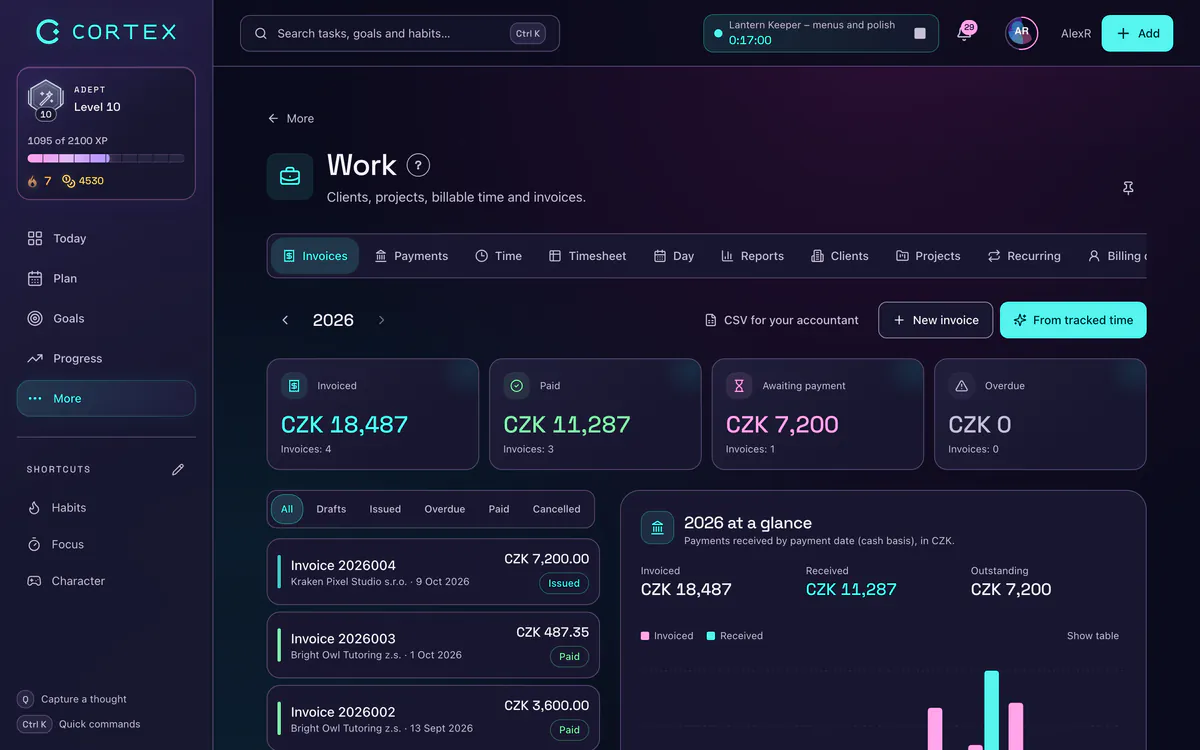
In CORTEX (free for everyone) you track time in the Work module. Each project has a rate and a Billable switch – for your own admin or marketing, add yourself as a client and create a project that isn’t billable. The Time tab shows unbilled time, the amount ready to invoice and what percentage of your time was billable; Reports split hours into billable and other, and each project shows its effective rate (invoiced ÷ worked). Export the billable hours as a PDF or CSV to attach to the invoice from your own invoicing software (invoices in CORTEX are Czech-format documents for Czech sole traders). If you have an account, open Work → Time.
Frequently asked questions
What is non-billable time?
Non-billable time is work for your business that you don’t charge any client for: email, proposals, admin, invoicing, marketing, learning or travel. It’s part of running a business, but your rate has to account for it.
How do I calculate my effective hourly rate?
Divide your income for a period by all your working hours, billable and non-billable. If you bill €5,000 in a month and work 150 hours in total, your effective rate is about €33 an hour.
How many hours a week does a freelancer bill?
There’s no universal figure; it depends on the field and the stage of your business. The only reliable way to know is to measure: for two ordinary weeks, log all your working time and work out your billable share.
Should I charge clients for non-billable time?
Usually not directly, but it must be built into your rate. Some activities – meetings, extra revisions, travel – can be billed when it’s clearly agreed up front.
How can I reduce non-billable time?
Batch email and admin into one or two blocks a day, prepare templates for recurring proposals and answers, invoice as soon as work is done and agree clearly what a project includes.
Sources and further reading
- Buehler, R., Griffin, D. & Ross, M. (1994): Exploring the “planning fallacy”: Why people underestimate their task completion times – Journal of Personality and Social Psychology
- Harkin, B., Webb, T. L., Chang, B. P. I. et al. (2016): Does monitoring goal progress promote goal attainment? A meta-analysis of the experimental evidence – Psychological Bulletin
Start tracking your work time
Run a timer on a client or project and see where your hours really go.
Start tracking time